Send a copy of your ID securely
A landlord, a bank, a new job: often a copy of your ID has to go out, but it shouldn’t sit in a chat forever. Vanish scans both sides, stamps a purpose note on it and sends the copy with an expiry.
How it works
- In the camera, pick the Document mode at the bottom and press the shutter.
- At What are you scanning? tap ID card. Scan the front first, then the back.
- Under Purpose note, write what the copy is for, for example “Copy only for the Miller flat application”. The note is fixed onto the page.
- Tap Save as PDF. Both sides end up on one PDF page.
- When asked Send it sealed now?, tap Send sealed.
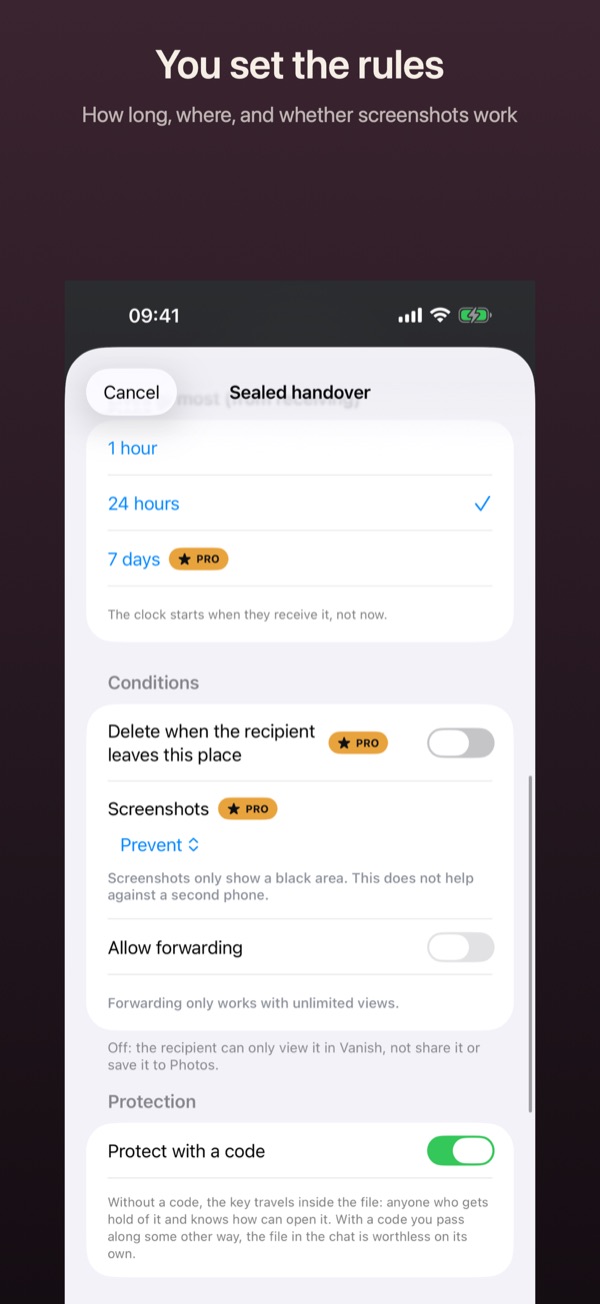
- Set the conditions: the deadline under Open until, and how often it opens under Views. Protect with a code is already on.
- Tap Create file and send the file any way you like. Vanish shows the code only now. Pass it on another way, ideally in person.
Good to know
- The ID scan is Pro. Deadlines beyond 24 hours and more than one view also need Pro.
- The recipient needs Vanish on an iPhone or iPad. Receiving is free.
- The code protects the way there, not the recipient’s phone. No app can stop someone from photographing the screen with a second phone.
- With Black out you can cover fields nobody needs before sending.