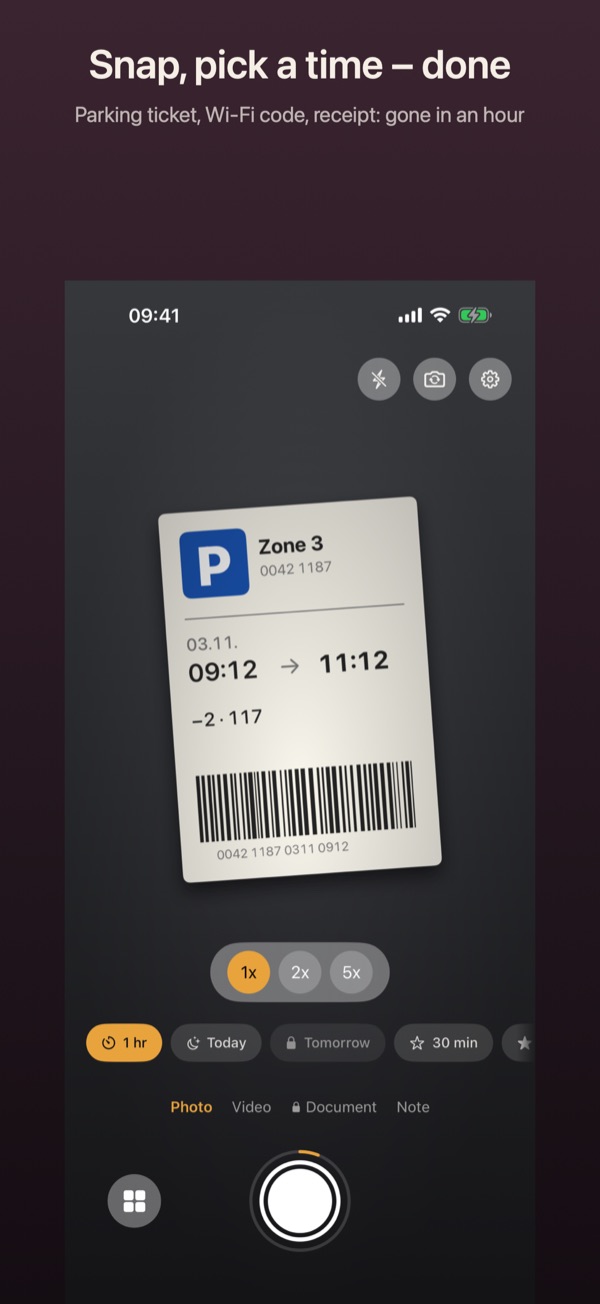
A photo that deletes itself
You need to know where you parked exactly until you walk back. Vanish takes photos like that with an expiry and deletes them afterwards on its own.
How it works
- Open Vanish. The camera is ready right away.
- Above the shutter, pick a time such as 1 hr, Today or 3 hrs. The ring around the shutter shows the duration you chose.
- Press the shutter. Vanish confirms how long the photo stays.
- Need it longer after all? Open the vault, tap the photo, then Change Expiry. You can extend it, shorten it or pick a time.
Good to know
- Free up to 24 hours. Longer times need Pro. If you pick more without Pro, Vanish still saves the photo, just for 24 hours.
- Press and hold a time to rename it or set it differently.
- The photo sits encrypted in the vault, not in the Photos app.